Managing several locations
QRMENUS lets one business run several locations from one account. You keep one central menu; each branch shows it, with its own exceptions (hide a dish or set another price here), its own dishes, tables, QR codes and settings. Pro includes 1 location and Business 2; each additional location costs 19 GEL (Pro) or 39 GEL (Business) per month and is added on request.
- Plan
- Pro (1 location included, +19 GEL per month for each extra) and Business (2 included, +39 GEL)
- Needs
- The same brand: a separate restaurant is a separate account
- Staff
- Managers and waiters can be limited to chosen branches; the owner sees all
- Control
- Every branch has its own public address, /m/<name>
Managing several locations
Build the central menu once
Create categories and dishes, with photos and descriptions, in the main business. Every branch shows this menu.
Add a branch
In the dashboard open Branches and give the branch a name, an address and a short web name. A new branch starts with the main business’s hours, phone, links and languages, and from then on they are the branch’s own. Logo, cover, theme and colour follow the main brand.
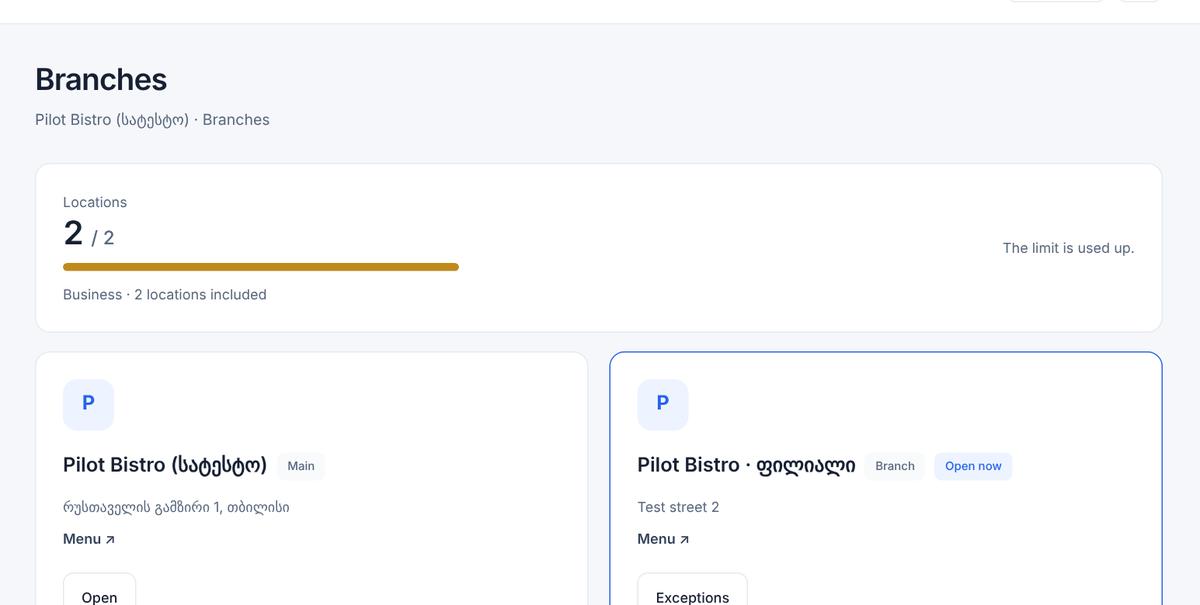
Branches page: 2 of 2 locations used, main location and a branch Set the branch’s exceptions
On the branch menu page switch a central dish off for this branch, or give it another price here. Everything else follows the central menu automatically, so a new central dish appears in every branch.
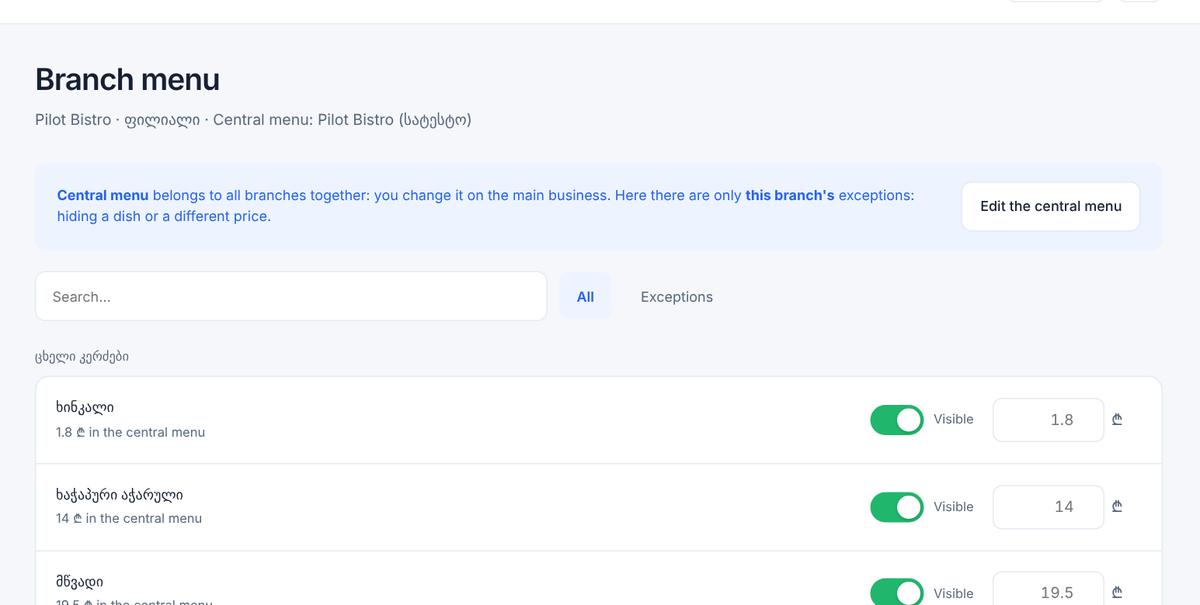
Branch menu page: each central dish with a visibility switch and a price field for this branch Add dishes that exist only in one branch
A branch can have its own categories and dishes in addition to the central ones.
Tables, QR codes and staff per branch
Each location has its own tables and QR codes. A manager can be assigned to chosen branches or to all of them, and a waiter sees only the calls and orders of the location they belong to. The owner sees every location, and in the extended statistics can look at all branches together or one by one.
Screens from a demo restaurant (test data)
- Pro networks get the central menu, a QR code, address, hours and prices for each branch. Waiter calls, table orders, staff accounts, Happy Hour, history and extended statistics are Business features and apply to a network on the Business plan, with a separate switch for each location.
- Extra locations are added by us on request; they are not self-service.
- If a plan ends or the limit is exceeded, the newest branches are hidden from guests, oldest kept; nothing is deleted.
- A branch’s own price is used in its guest menu and in its orders.
- Languages, links, service charge and description belong to each branch after it is created; the main business does not overwrite them.
How much do extra locations cost?
Do branches share one menu?
Can a waiter see all branches?
Can each branch have its own prices?
Can different restaurants be managed together?
What happens if I downgrade?
Try the menu free.
The first 14 days are free (Pro trial), no card needed. Business features are activated on request.