Table orders and kitchen screen
With table orders the guest builds a cart in the menu opened from the table QR code and sends it. A waiter, manager or owner confirms it, the kitchen sees the confirmed order on its own screen (without prices) and marks it Preparing and Ready, and the waiter marks it Delivered. The guest follows the status on the phone. The feature is part of the Business plan, and payment stays at the table.
- Plan
- Business: 79 GEL per month or 790 GEL per year, activated on request
- Needs
- A table QR code, and “orders” switched on for the location (it is off by default)
- Staff
- Waiter confirms and delivers, kitchen prepares, manager and owner can do everything
- Control
- Payment at the table in cash or card; there is no online payment
Table orders and kitchen screen
The guest builds a cart
From the table QR the menu shows an add button on every dish. The cart lists the dishes, takes an optional note for the kitchen and shows the total with the service charge you set. The guest also marks whether they will pay cash or by card, as a note for the waiter.
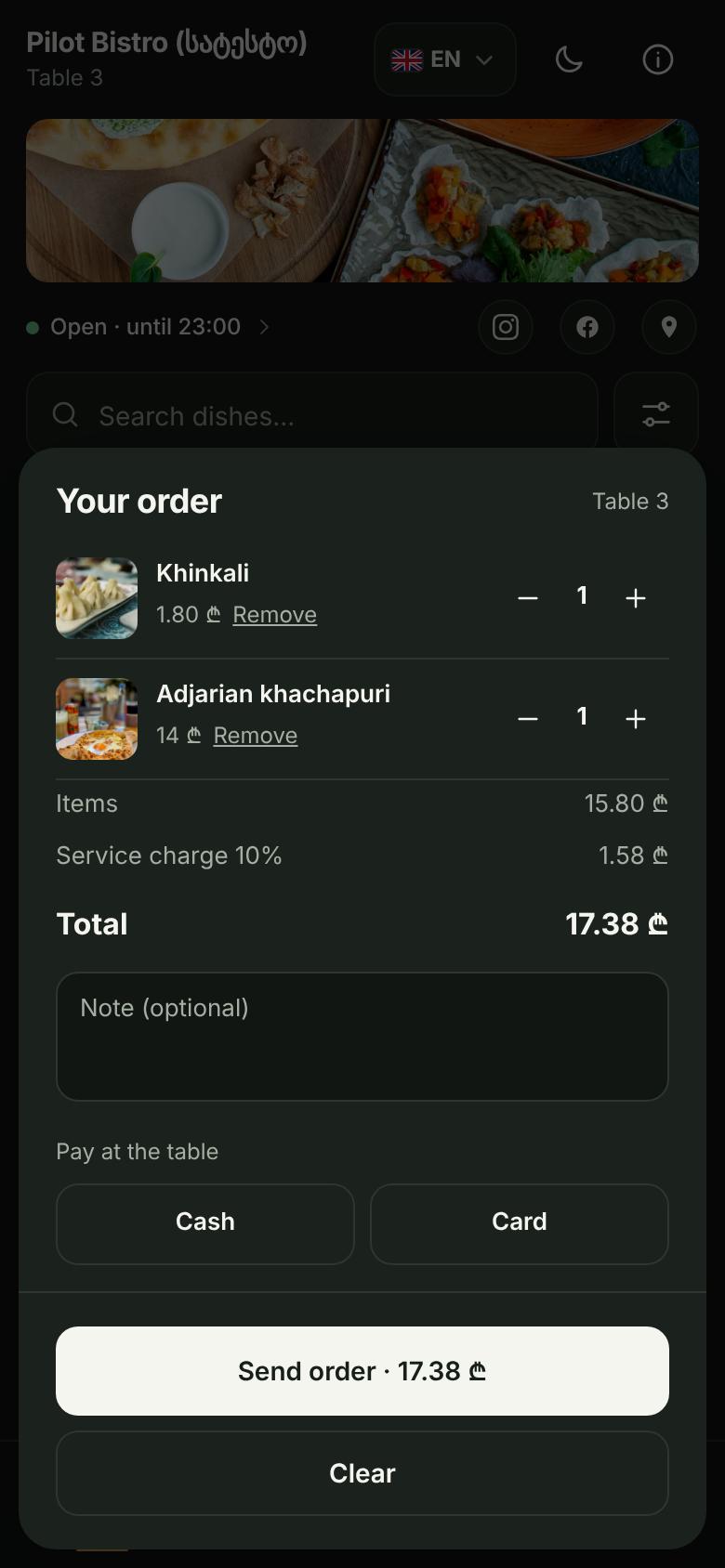
Guest cart with two dishes, a 10% service charge and the total The server checks the price and creates the order
The total is calculated again on the server, with branch prices and Happy Hour discounts. If it differs from what the guest saw, nothing is sent: the guest sees the new total and confirms it. Pressing the button twice or retrying after a network error creates only one order.
A waiter confirms
New orders appear on the staff Orders screen with the table, the dishes and the total, and a sound can announce them. A waiter, manager or owner confirms the order, or cancels it with a reason.
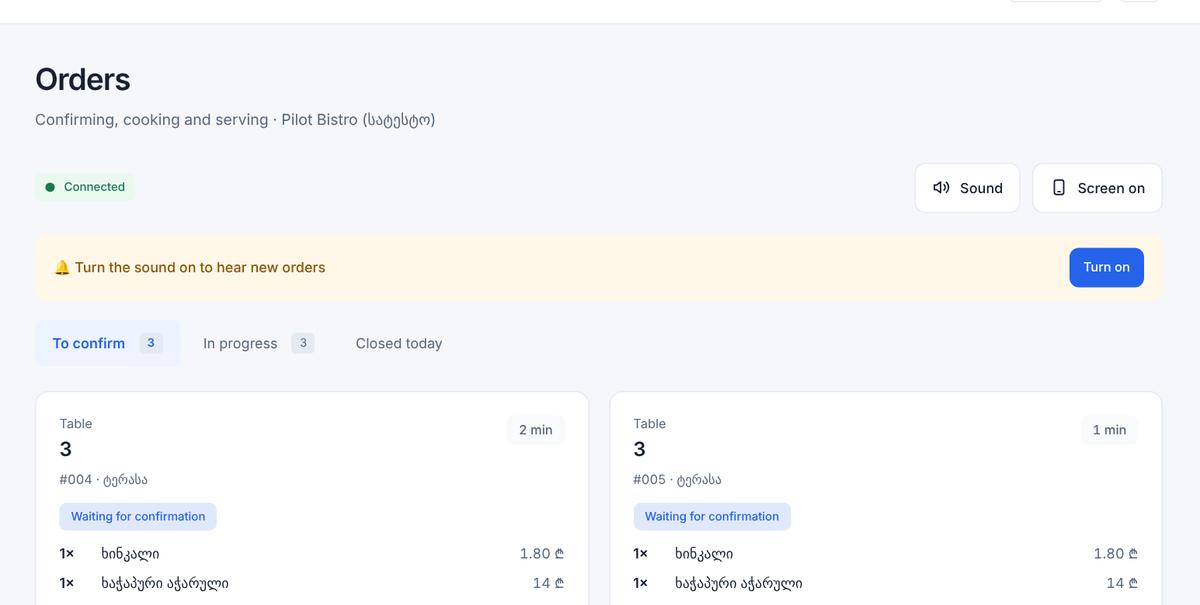
Staff Orders screen: a new order waiting for confirmation The kitchen prepares
The kitchen screen shows only confirmed orders, without prices or payment. The kitchen taps Start, then Ready.
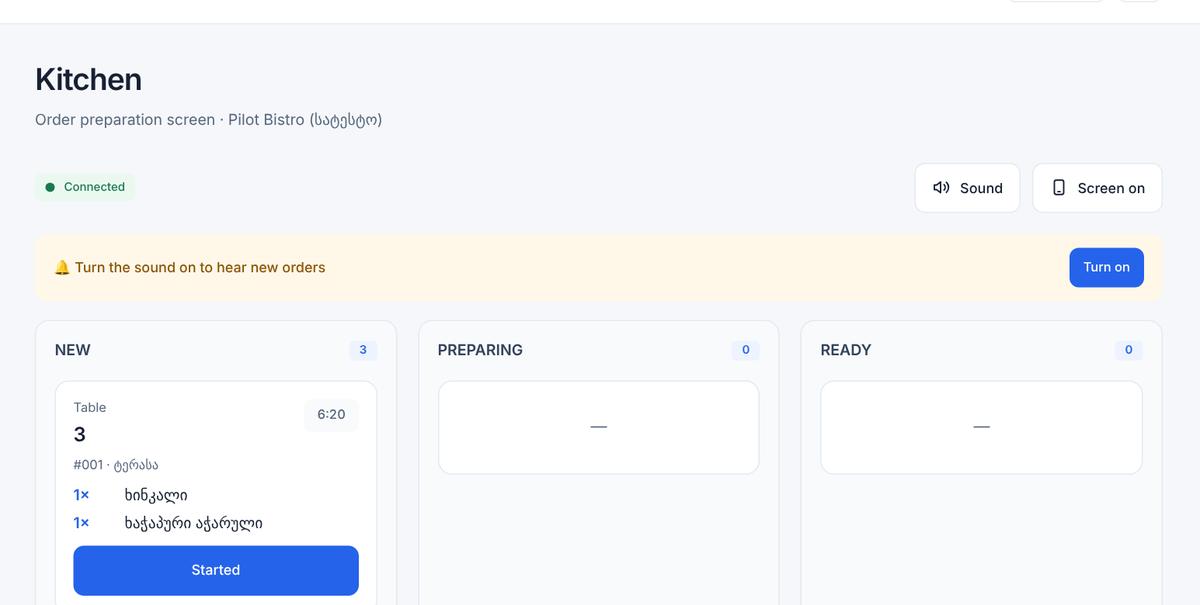
Kitchen screen: a confirmed order without prices The guest follows the status
Waiting for confirmation, Accepted, Preparing, Ready, Delivered. A cancelled order says so. The guest cannot cancel or change an order on the phone; the page tells them to ask the waiter. When the order is delivered and paid, a waiter marks it as paid.
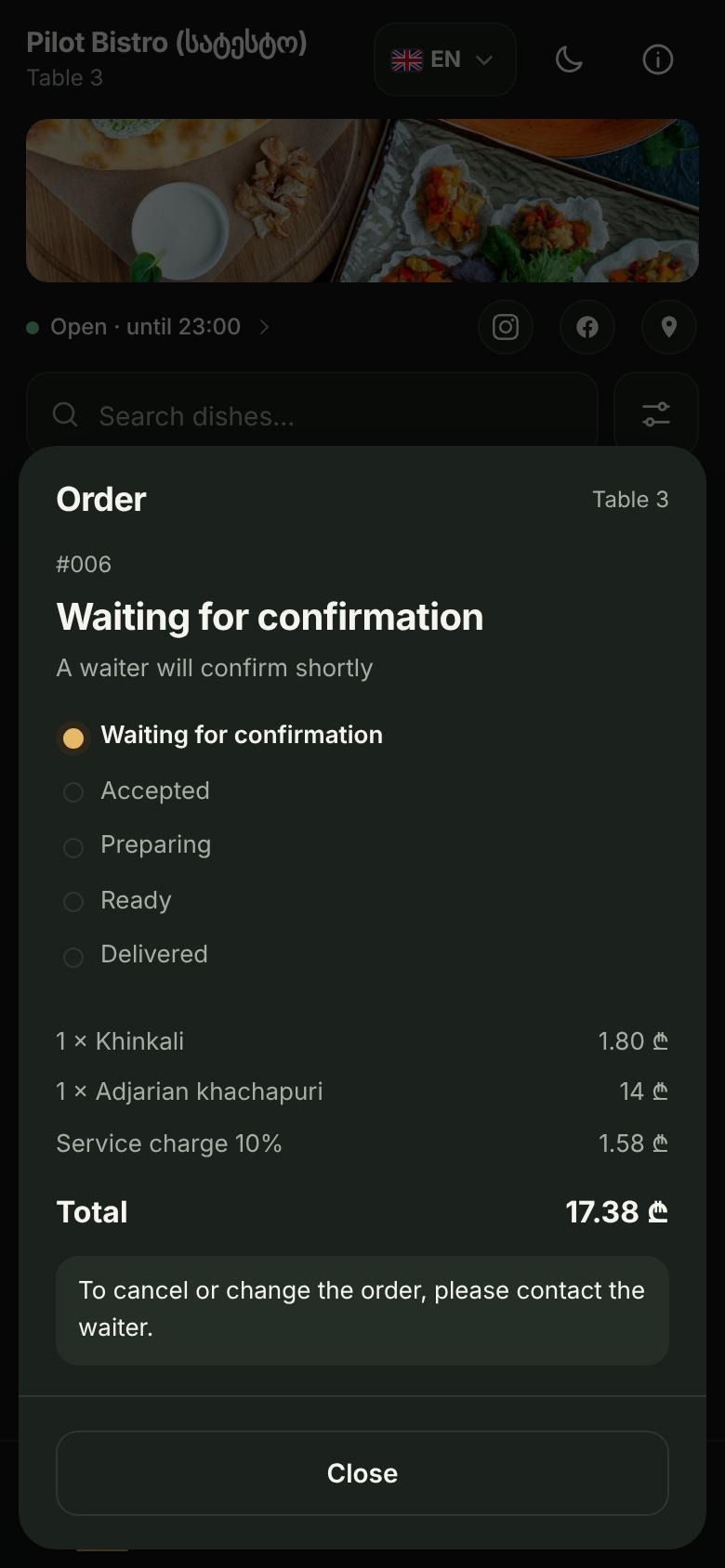
Order status on the guest phone: waiting for confirmation, accepted, preparing, ready, delivered
Screens from a demo restaurant (test data)
- Orders are sent only from a table QR code. The shared menu link and the Pro plan give a calculation cart (add, quantity, total) that sends nothing.
- Orders are off until the owner switches them on for a location. The restriction to the Business plan is checked on the server, not only in the buttons.
- An order keeps the dish names and prices agreed at that moment; later menu changes do not alter it.
- A table can have only a limited number of open orders at once (10 by default, adjustable), which protects against floods.
- The kitchen role sees no prices; a waiter cannot change the menu.
- Not included: online card payment, delivery or takeaway ordering, and ordering without a table QR code.
Can guests pay online?
Which plan includes table orders?
What if a price changes while the guest is choosing?
Can the kitchen see prices?
Can a guest cancel an order?
Do I need special devices in the kitchen?
Try the menu free.
The first 14 days are free (Pro trial), no card needed. Business features are activated on request.