Call the waiter from the table QR code
With QRMENUS the guest scans the QR code on the table and taps Waiter, Water or Bill (cash or card). The staff screen shows the request with the table number, the waiter taps “I’m on my way” and later “Done”, and the guest sees the status. It is made for restaurants, cafes and bars with table service and is part of the Business plan.
- Plan
- Business: 79 GEL per month or 790 GEL per year, activated on request
- Needs
- A separate QR code for every table
- Staff
- Waiter accounts; a waiter can be limited to one branch
- Control
- Can be switched on or off for each location
Call the waiter from the table QR code
Print one QR code per table
Add your tables in the dashboard. Every table gets its own QR code with a secret code inside, so a request always comes from a real table. If a QR code is lost or copied, create a new one for that table and the old printed code stops working.
The guest scans and opens Services
The menu opens with the table name in the header. In the bottom bar the guest taps Services and chooses Call the waiter, Water or Bill.
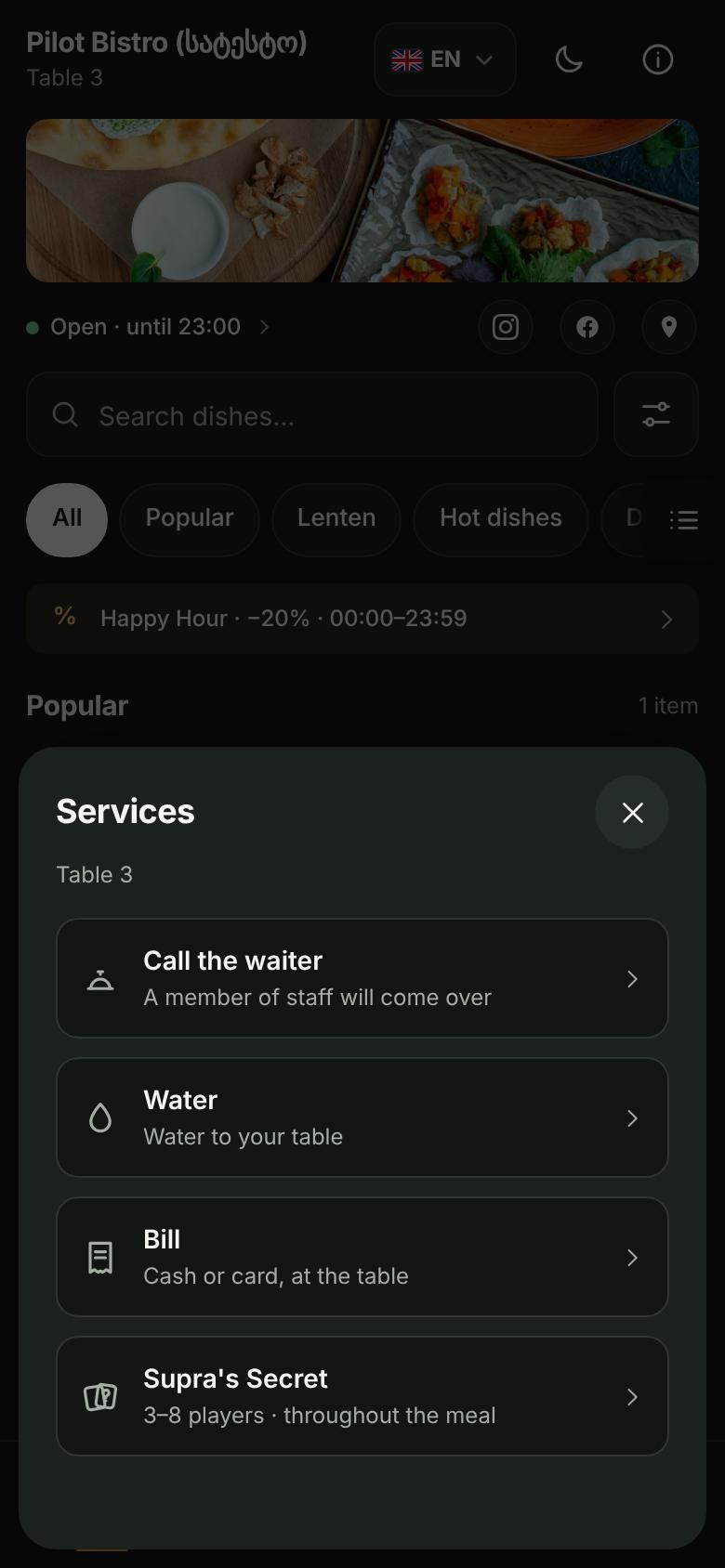
Services sheet on the guest phone: call the waiter, water, bill, table game For the bill: cash or card
The guest says whether they will pay cash or by card, and the waiter comes accordingly. The payment itself is made at the table; QRMENUS does not take it.
The staff get the request
The Waiter screen lists open requests with the table, the kind of request and how long ago it came. A sound can announce new requests, and the screen can be kept awake. The waiter taps “I’m on my way”; once one person has taken a request it is theirs, so two waiters do not go to the same table, and “Done” closes it.
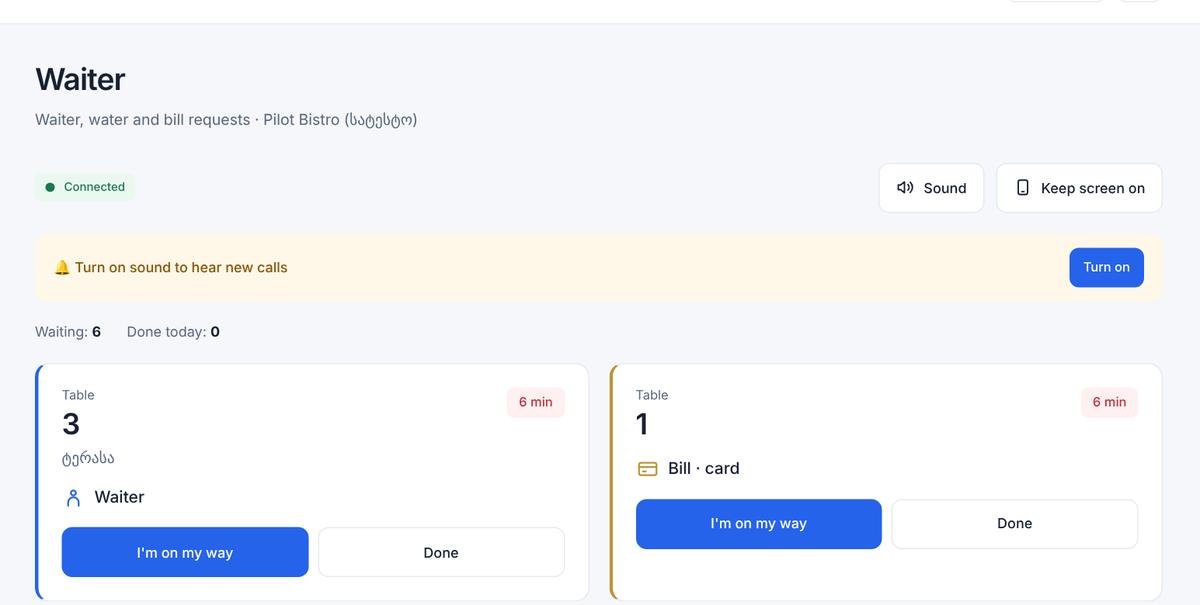
Staff Waiter screen with two open requests: table 3 waiter, table 1 bill by card The guest sees what is happening
After sending, the guest sees “The staff have been notified”, then “A waiter is on the way” and “Done”.
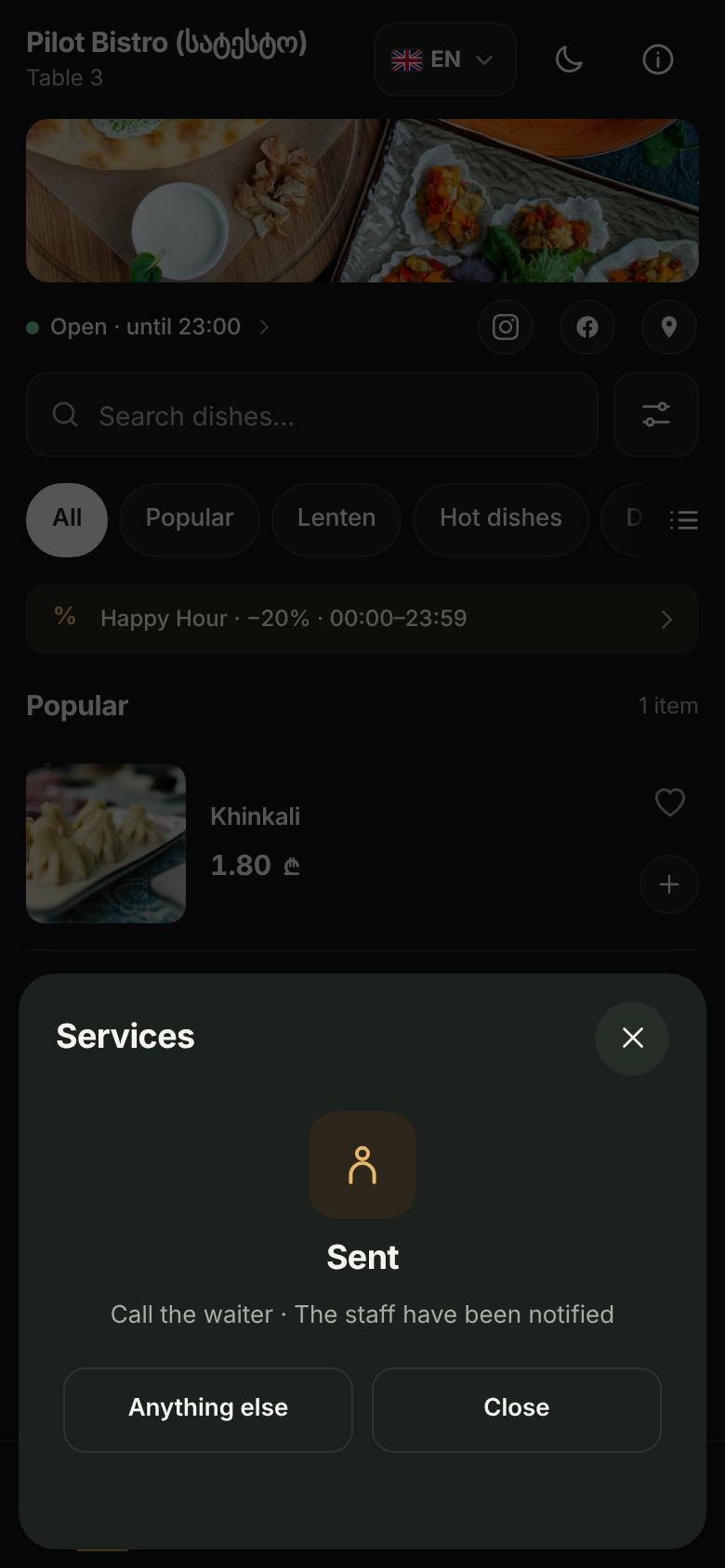
Guest phone after sending a waiter call: the staff have been notified
Screens from a demo restaurant (test data)
- It works only with a table QR code. The shared menu link cannot send requests; it shows a note asking the guest to scan the QR on their table.
- The table is identified by the secret code in its QR, not by a number the guest types, so nobody can call a waiter to another table by guessing.
- Pressing the same button again within two minutes does not create a duplicate request, and a table that sends many requests in a short time is asked to try again in a moment.
- Staff accounts with the waiter role can answer requests, but cannot change the menu, tables or settings. A waiter who belongs to one branch sees only that branch’s requests.
- Not included: ordering food through this feature (see table orders) and taking payments. QRMENUS does not process the bill.
Does the guest need to install an app?
Which plan includes waiter calls?
Can guests call the waiter from the shared menu link?
What if a table QR code is lost or copied?
Can I turn waiter calls off?
Is the bill paid through QRMENUS?
Try the menu free.
The first 14 days are free (Pro trial), no card needed. Business features are activated on request.